Our Reporting Suite makes deposit administration easy.
Find and export information about your account instantly. Reports include overall balance and number of tenancies you have on any given date – useful to have when you’re reconciling and auditing your accounts at the end of the financial year.

Activity log
Need to know what actions have been taken against your tenancies and deposits? Activity log shows all transactions performed for your deposit portfolio between the dates you select, helping you audit your account activity.

Payments
We provide full visibility of payments (bulk payments included), funds, deposits IDs and property address which can be exported at any time, allowing for payments to be easily traced and reconciled with your records

Repayments
View and export information on repayments you’ve received from us including the tenancy details, deposit ID and property address
Cross reference any repayments you’ve made, as we know some banks don’t offer that information
View pending payments, when payments are due and the status of expected payments
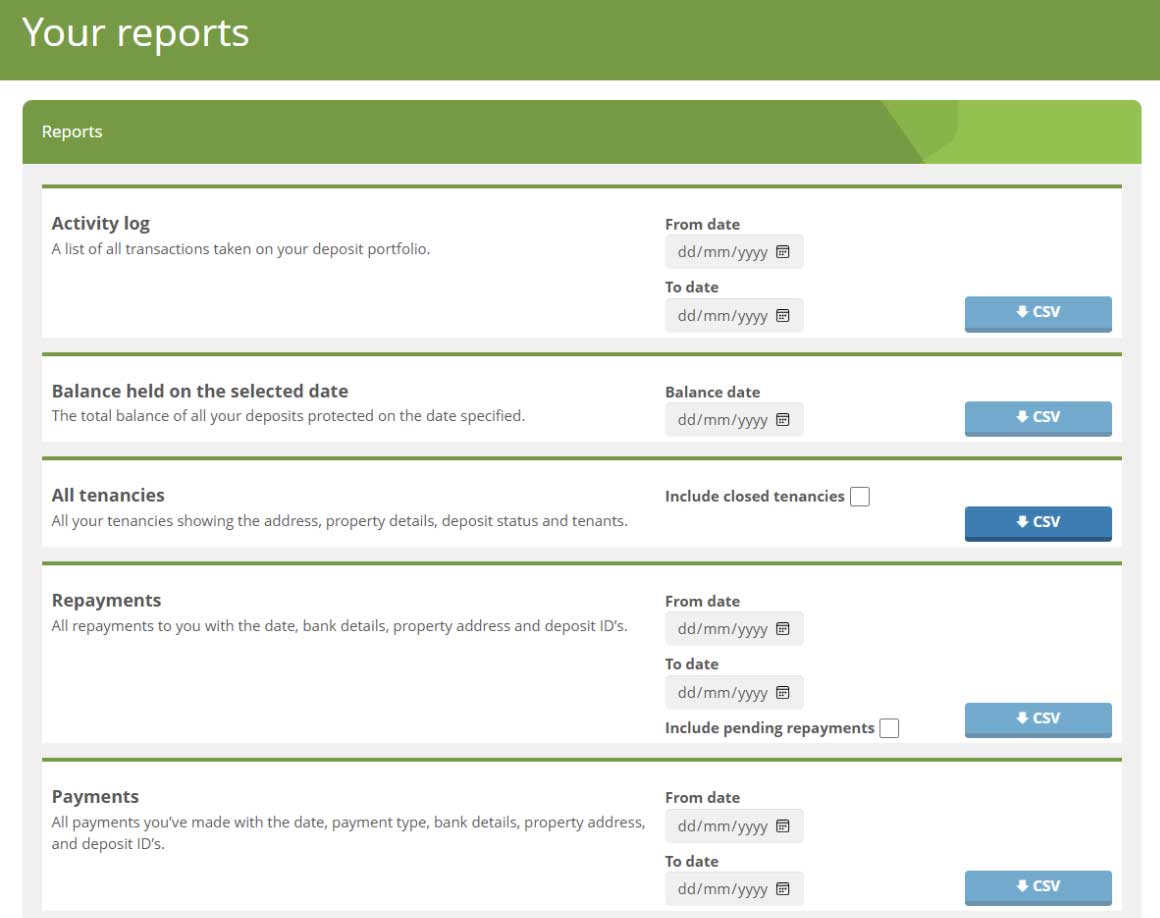
How to access the reports
When you log into your account, you'll see a “Reports” option in the top navigation. From there you can select “Balance held on the selected date”, “Payments”, “All tenancies”, “Activity log” and “Repayments” reports.
How to download your chosen report
- Click on the Reports tab in the navigation
- Select from different report options
- Complete the report criteria
- Instantly download the chosen report in a CSV format