Our secure Tenant Transfer Tool makes life easy for letting agents by allowing you to quickly and efficiently transfer tenants in or out of an existing tenancy, without the need to “repay and resubmit” the deposit.
When to use this process
Letting agents and landlords should only use this process when:

a tenant is leaving a joint tenancy and the landlord has no claim against the deposit for that tenant. In this event the remaining tenants would be expected to pay the outgoing tenant their share of the deposit to them;

a new tenant is replacing a tenant who is leaving a joint tenancy, and the landlord has no claim against the deposit for the outgoing tenant. The incoming tenant must pay the outgoing tenant their share of the deposit;

a new tenant is being added to any existing tenancy. The landlord can add any extra deposit taken from the new tenant through the Pay additional deposit option.
For sole tenancies where the existing tenant is leaving and a new tenant moving in, creating a new tenancy, you must use the normal deposit repayment and new tenancy processes.
How it works
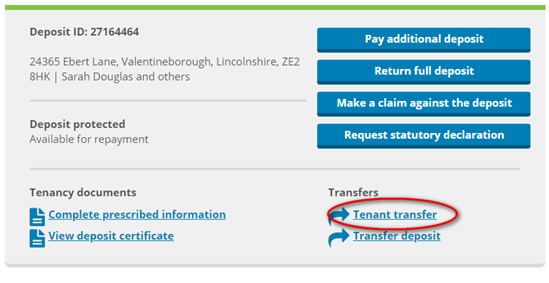
The Tenant Transfer Tool can be accessed via the “Manage your tenancy” section of your online account. To start the process select the relevant deposit and select tenant transfer:
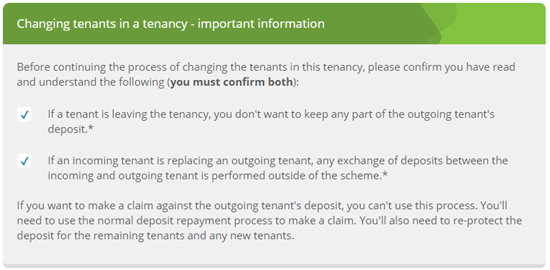
Confirm both the statements. You'll need to do this to proceed to the next step.
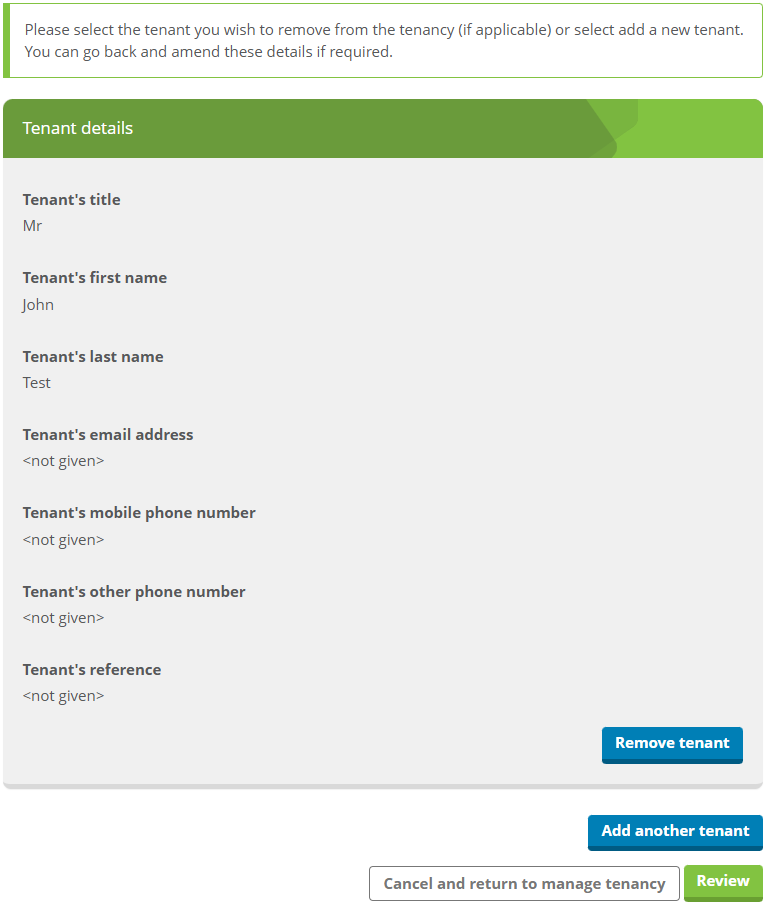
After confirming both statements, you'll have the option to remove each tenant, and add new tenants. You’ll need to provide their name and their contact details:
Once you have confirmed the changes, we'll send you a confirmation using the contact details we hold for you. We'll also contact the tenants being removed from or added to the tenancy, to advise them of the changes you have requested and give them the opportunity to contact us if they believe the changes are incorrect. We'll also contact any other tenants registered to the tenancy to advise them of the changes being made.
If we don't hear from the tenants within 9 calendar days of your request, the transfer will proceed. During this window, only the previous tenants will be able to view the tenancy.
If we're notified that the transfer should not proceed
If one of the tenants being removed or added notifies us that that the change should not proceed, we'll stop the change from proceeding and contact you. If you want to proceed with the change, you'll need to speak with the tenants to resolve their objections. Once you've agreed the changes with the tenants you can start the process again.